
G-Cloud 15 Explained: What UK Councils Need to Know
Quick answer: G-Cloud 15 is the UK government's newest cloud procurement framework. It went live in August 2026, and it lets councils buy .
.svg)
Hi hosts! We have a MAMMOTH update for you - so big that we're splitting it up into two posts 😮 In this post, we're going to take a look at two game-changing features: invite only periods and inspection spaces!
Invite only periods enable you to block out times for your spaces that only certain people can book via password, and people who don't have the password won't be able to book the space during these times. This is useful for when you are running a special deal for specific people like locals to book your space, managing busier seasons by limiting the number of people accessing your venue, and so much more!
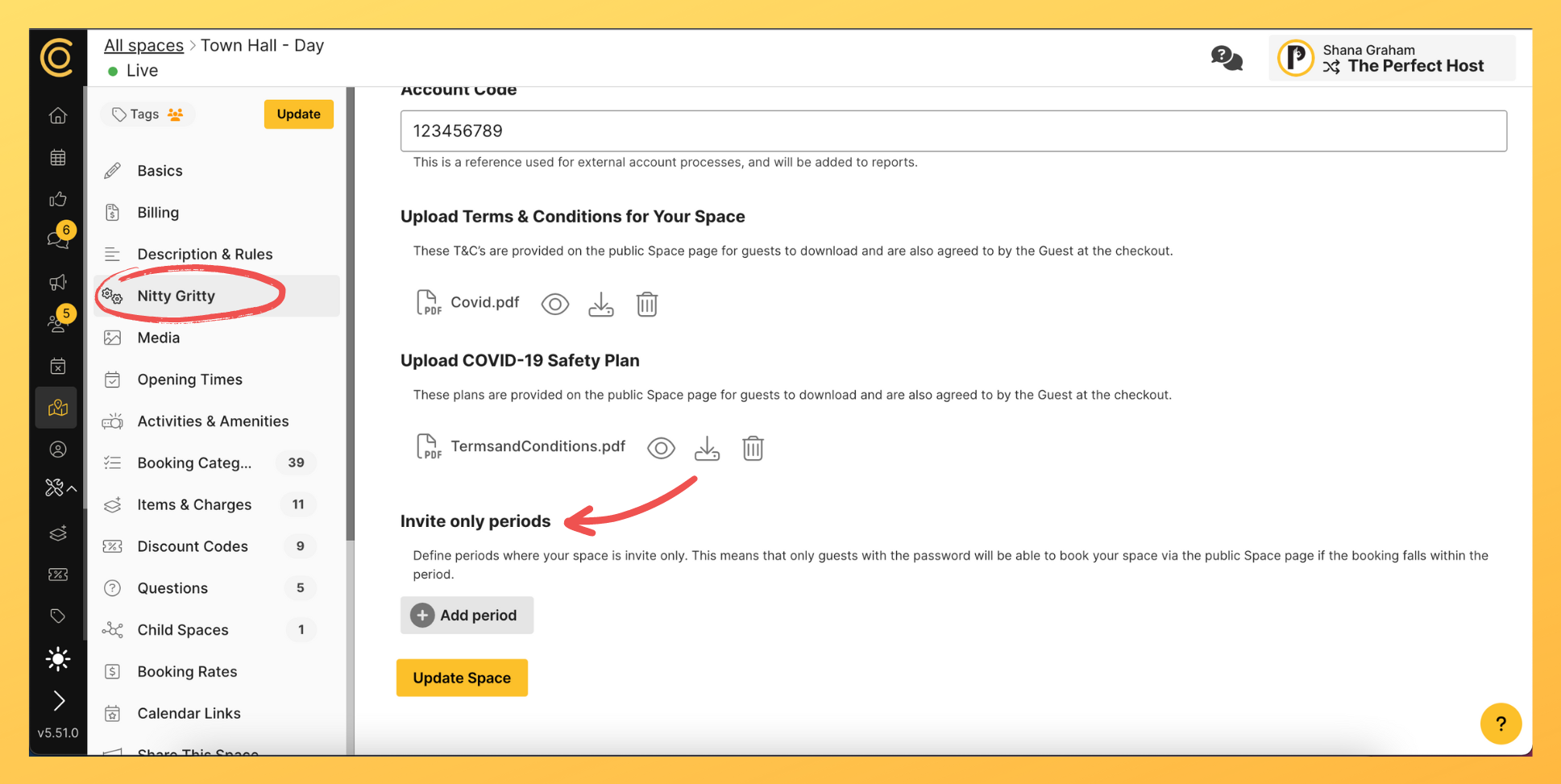
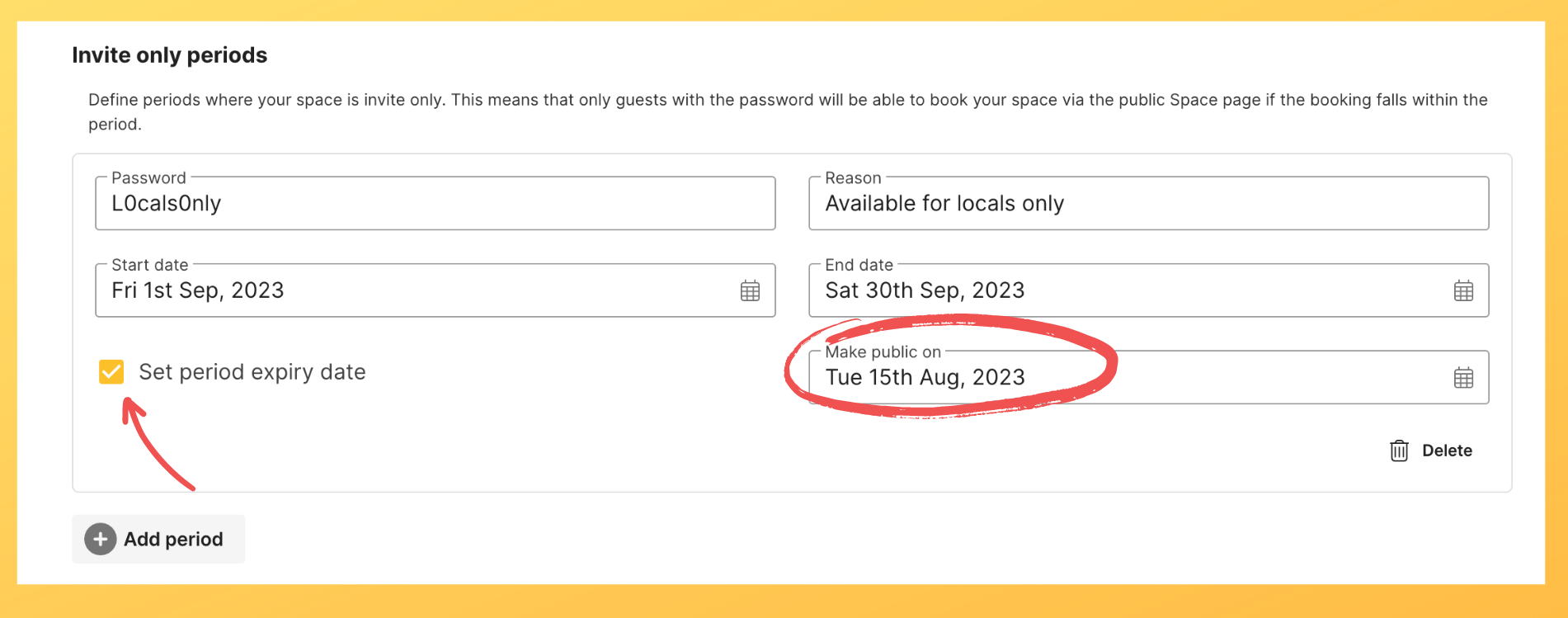
Simply add an invite only period in the 'Nitty Gritty' section of your space and fill in the form (ie. create a password, type in the reason for the period and add start and end dates). You can also set an expiry date for this invite only period - when it ceases and the space is available to the public again.
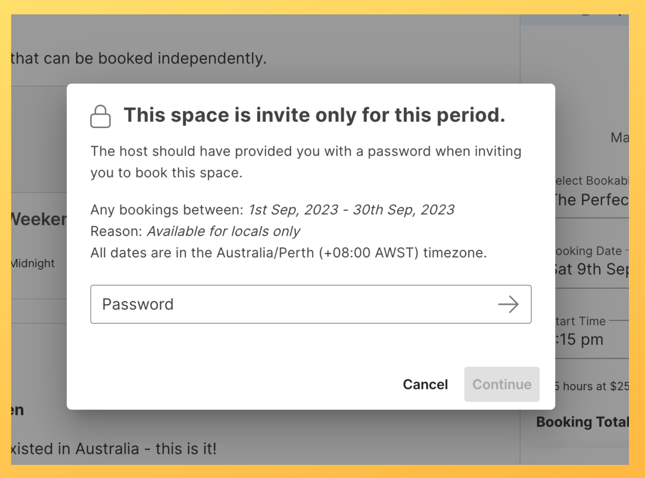
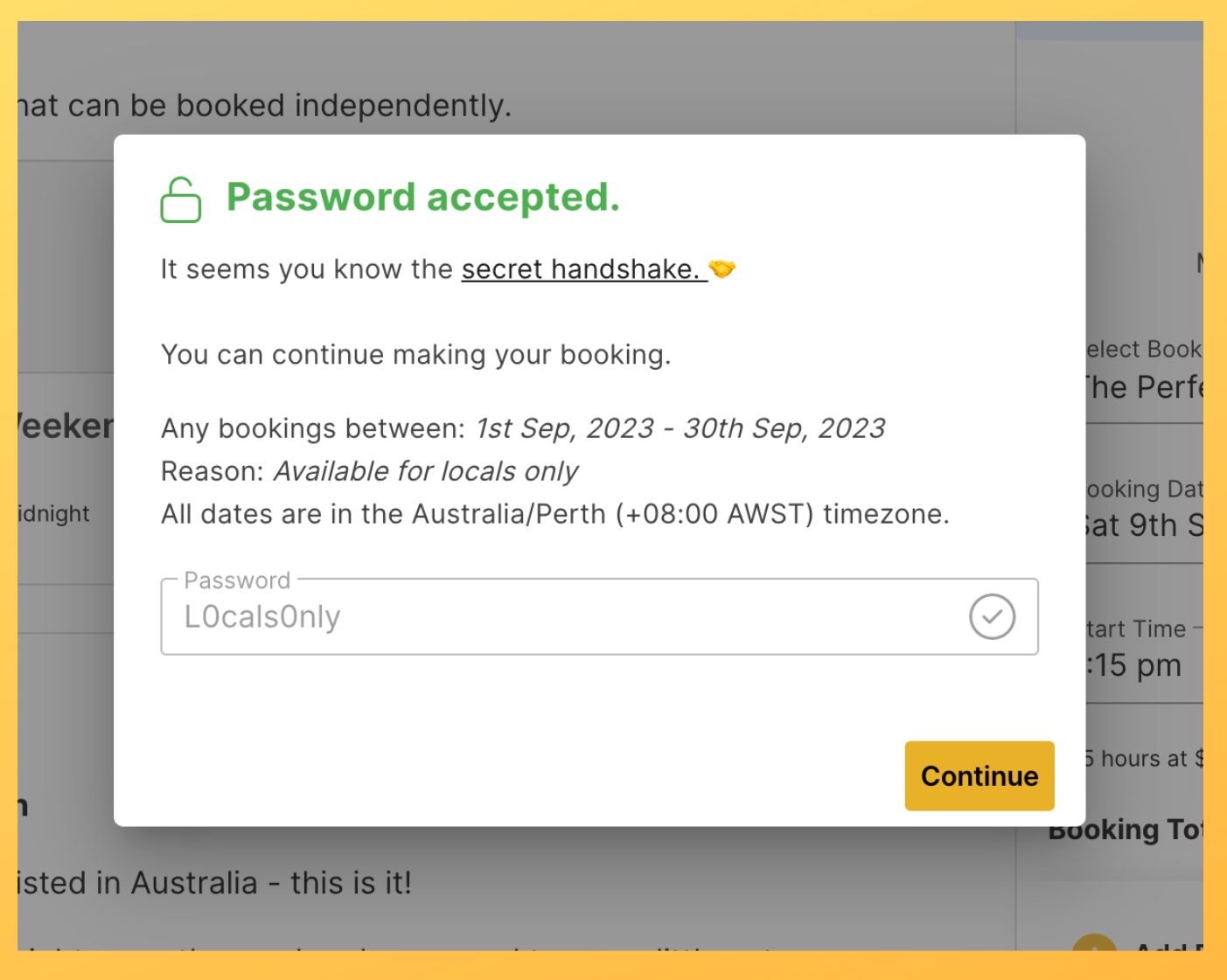
When a guest tries to book the space within the invite only period (and if it hasn't expired), they'll be met with a window that requires a password. If they have the password, they can enter it in and continue booking as usual!
Inspection spaces are a dedicated feature to let guests view your space before committing to a booking. The way to do this is to create a 'child space' and turn it into an 'inspection only space'.
You can do this by duplicating the space you want to have this feature, edit its name (eg. 'Perfect Town Hall - Viewing Only') and making this duplicated space a 'child' of the main one.
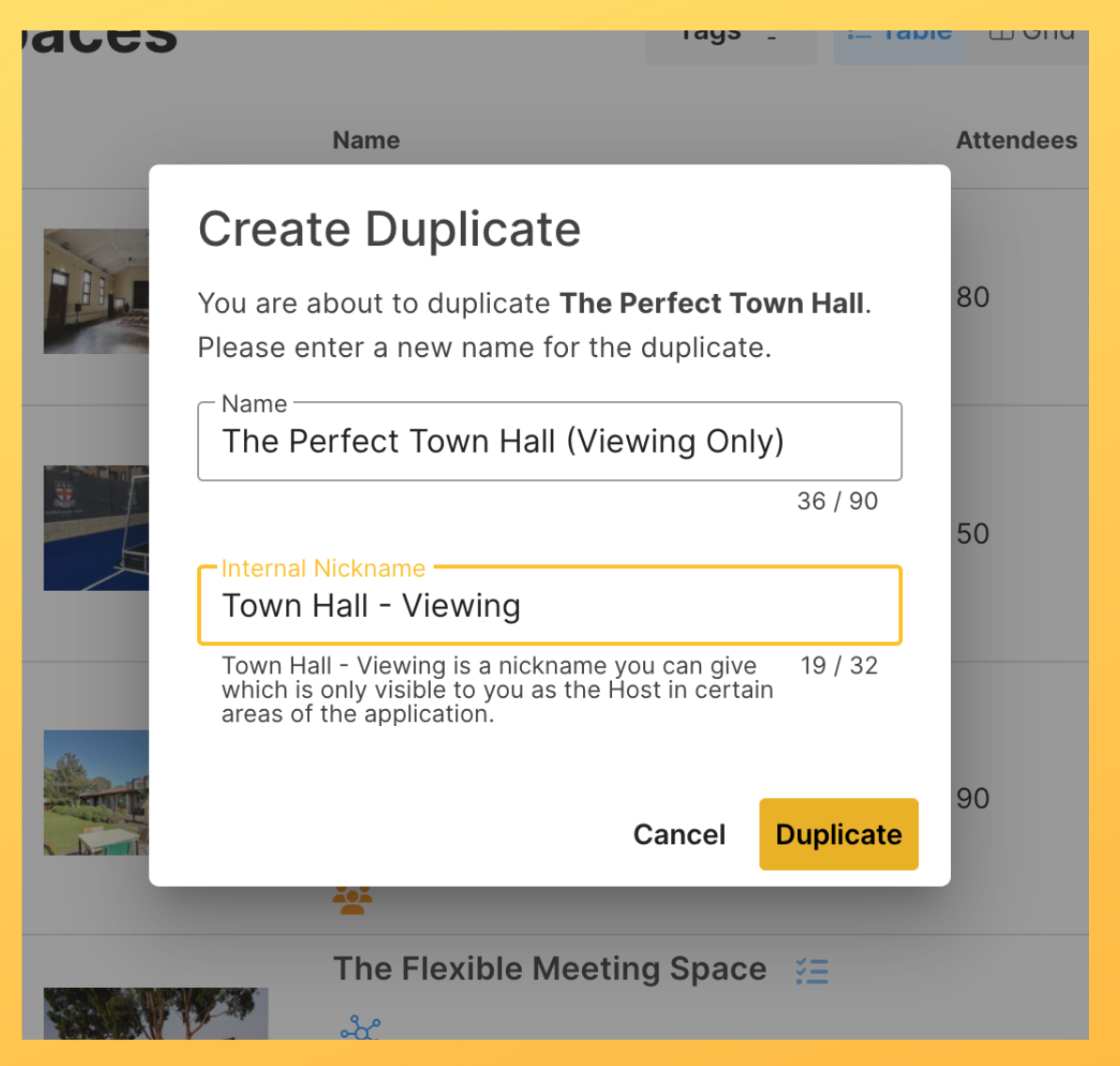

Then, edit the child space by visiting the 'Billing' section and scrolling down to the 'Inspection Space' tickbox. Enable this feature, and this space will now be taken off of the marketplace and instead linked to the main space as a 'viewing only' function.-1.png?width=1472&height=1141&name=Product%20Update%20Images%20-%20BLOG%20(1)-1.png)
What this means is that when a guest tries to book the main space, they can also choose a 'viewing only' option, without this being a separate space page to visit (or for you to manage).
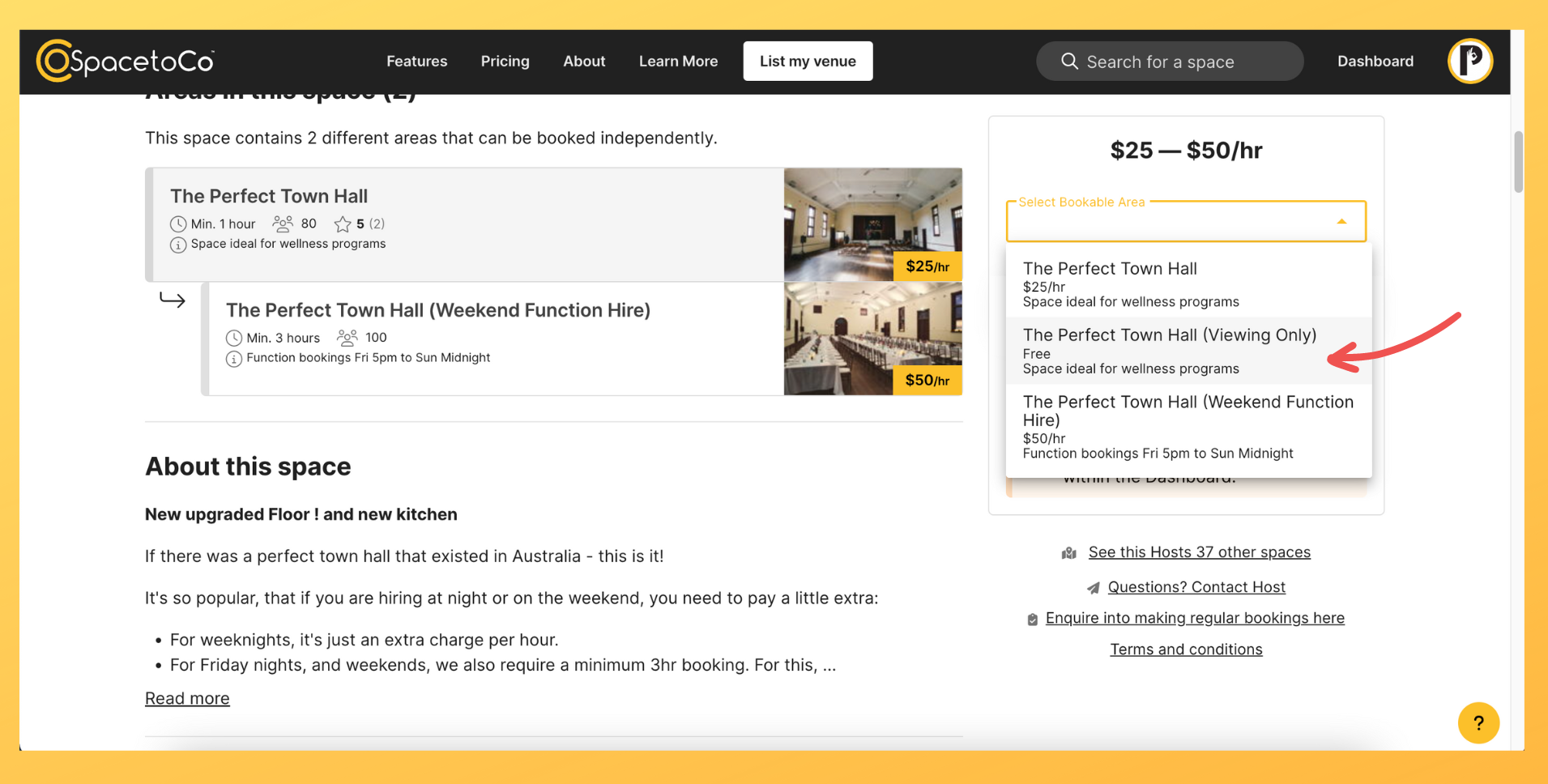
See what I mean? Game-changing stuff! Have a go at these awesome new features and stay tuned for the next blog post with the rest of this tasty update 😋
.svg)
Book a personalised demo with a local team member




© 2026 SpacetoCo PTY LTD | All Rights Reserved | hello@spacetoco.com | AU: (08) 6102 1191 | UK: 0330 818 2437 | NZ: (09) 887 4698
©️ 2025 SpacetoCo PTY LTD | All Rights Reserved |
AU: (08) 6102 1191 | NZ: (09) 887 4698