.svg)
.svg)

Going Online for our VIPs (Regular Hirers)
Welcome! Your local community facility has moved (or is moving) its bookings onto SpacetoCo. This page covers what to expect, how it all works, and why it should make your life easier.
You're a regular booker — someone who runs the programs, activities, classes and events that bring your community together. SpacetoCo exists to take the admin and back-and-forth out of managing your bookings, so your time goes toward what actually matters: your community. 💛
Why is my community centre moving to online bookings?
Three main reasons community spaces make the switch:
- It saves everyone time — managing bookings online is far quicker than back-and-forth emails.
- It helps centres win more bookings, which means more revenue to reinvest in the facility.
- It makes payments and invoicing more accurate and predictable.
For more information on why community spaces take bookings online, check out our guide here.
.png?height=2000&name=Connect%20your%20community%20(1).png)
Benefits for you and your community group
There are so many benefits that you are your community are going to love. Here are some...
All of this is free for you and your team. One SpacetoCo account covers bookings across every community space that takes bookings through the platform.


For everyone
- See all past and future bookings in one online account
- Email reminders for upcoming bookings
- Logins for other team or committee members
- Detailed space info, photos, policies and instructions
- Direct messaging with the space, including sharing documents like insurance or licences

If you pay upfront (casual bookings)
- See live availability and pricing, and book & pay online any time
- Download receipts online
- Cancel for a full refund

If you pay monthly (regular / verified bookings)
- Up to 3 years of bookings scheduled at once
- Cancel unused bookings — you're never billed for them
- Invoiced only for what you actually used
- Check your running monthly total at any time
- Invoices arrive on the same schedule every month, downloadable any time
- Automated payment by card or direct debit — nothing to remember
.png?width=310&height=443&name=Squiggles%20(1).png)

Payments and Invoicing
Regular bookers pay by card or direct debit only. Card payments are processed by Stripe, a fully PCI-compliant gateway also used by Xero, Amazon, Shopify and Zoom. Direct debits are processed by GoCardless, compliant with NZ and Australian banking standards and also trusted by Xero.
We don't accept cheque, cash or manual bank transfer: cheques are being phased out in New Zealand, cash handling is a security risk for community spaces, and manual bank transfers remove the main benefit of automation — nobody has to remember to pay, chase an invoice, or manually reconcile accounts.

How the monthly cycle works
- End of month: you receive a bookings summary and total charge
- 7th of the next month: a formal invoice with full details
- 10th of the month: payment is taken from your nominated card or bank account

Peace of mind
- Your running monthly total is visible in your dashboard at any time
- You're only charged for bookings you didn't cancel
- You have 7 days to query or request changes to a booking summary before payment is taken — or to approve it, if that's part of your committee process
Feature Highlights
Managing your bookings
Check out how easy it will be for you and your group to manage your bookings with SpacetoCo.
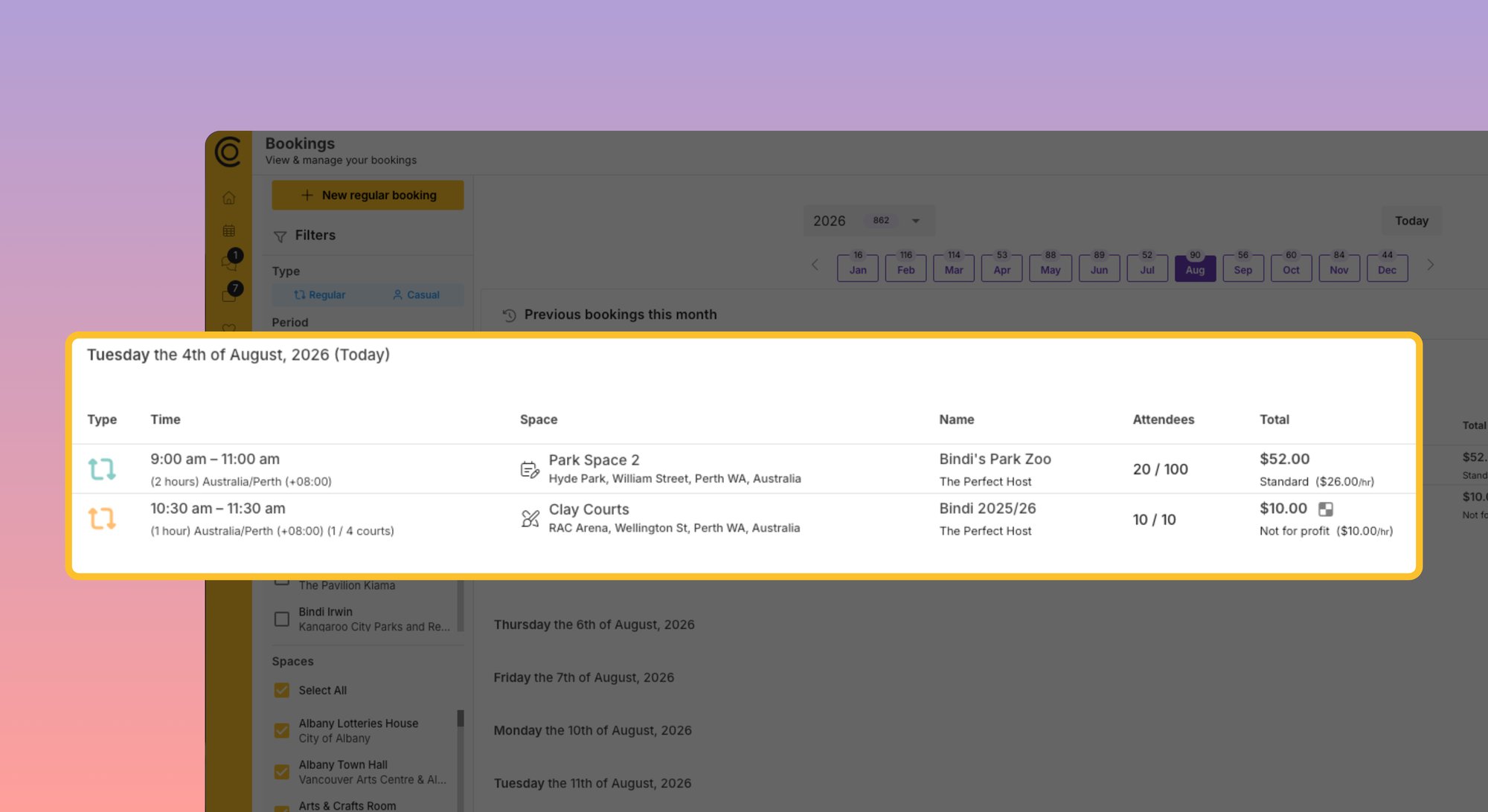
View your bookings
Log in to your dashboard any time to see all future and past bookings.
Cancel a booking
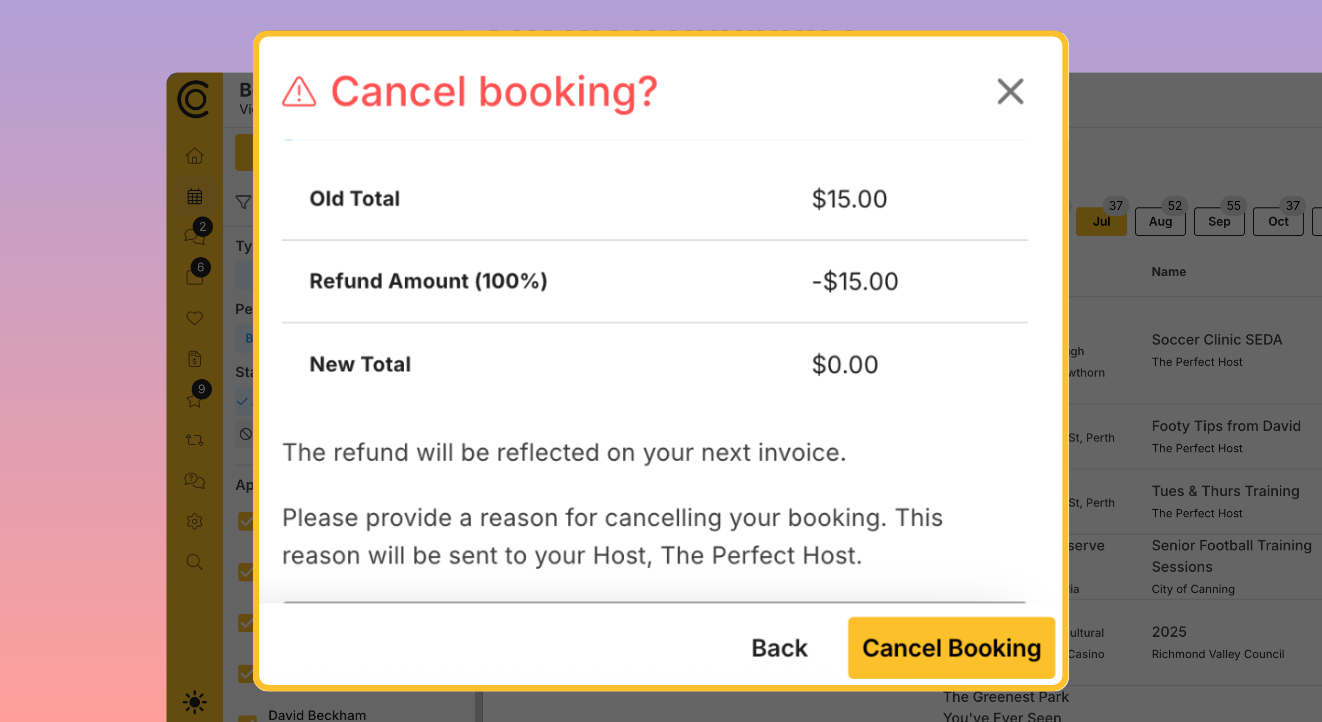
Cancel any time within the space's cancellation policy (e.g. up to 7 days prior if that's the policy) and it's removed from your bill. After that window, contact the centre directly — cancellation is at their discretion.
How to cancel a booking
Change a booking
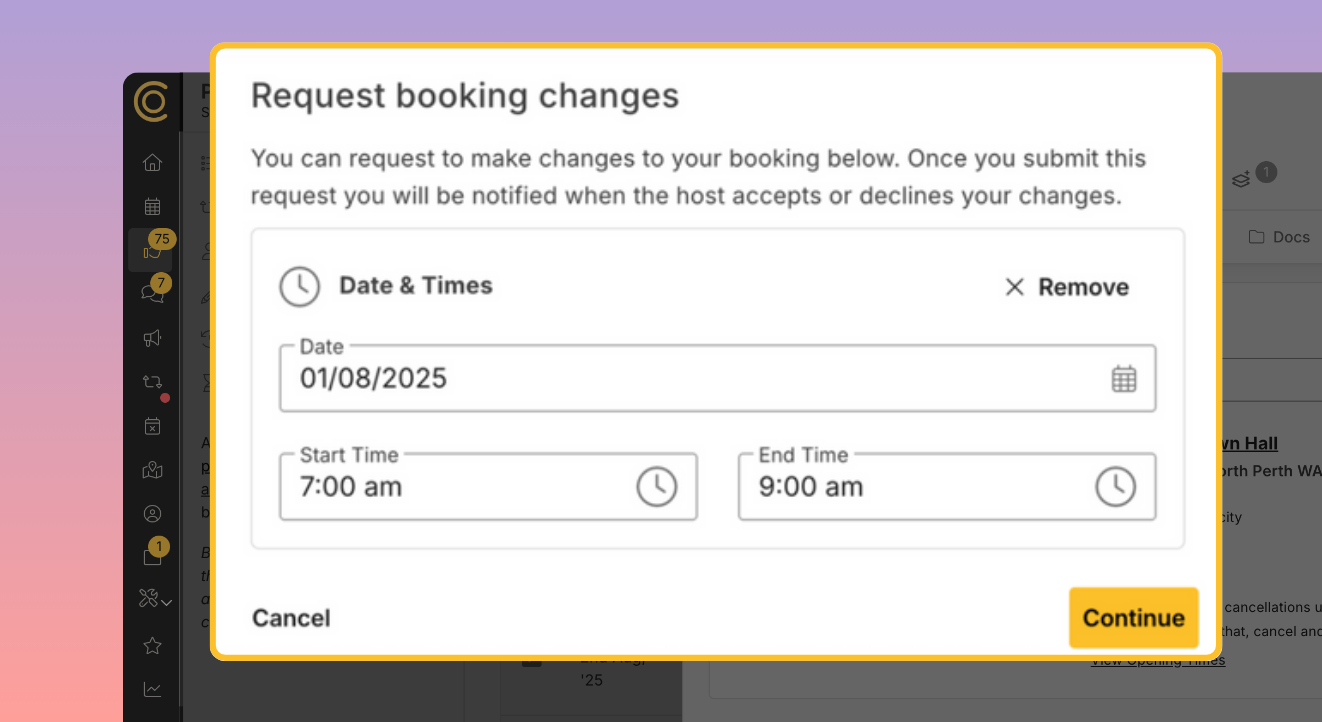
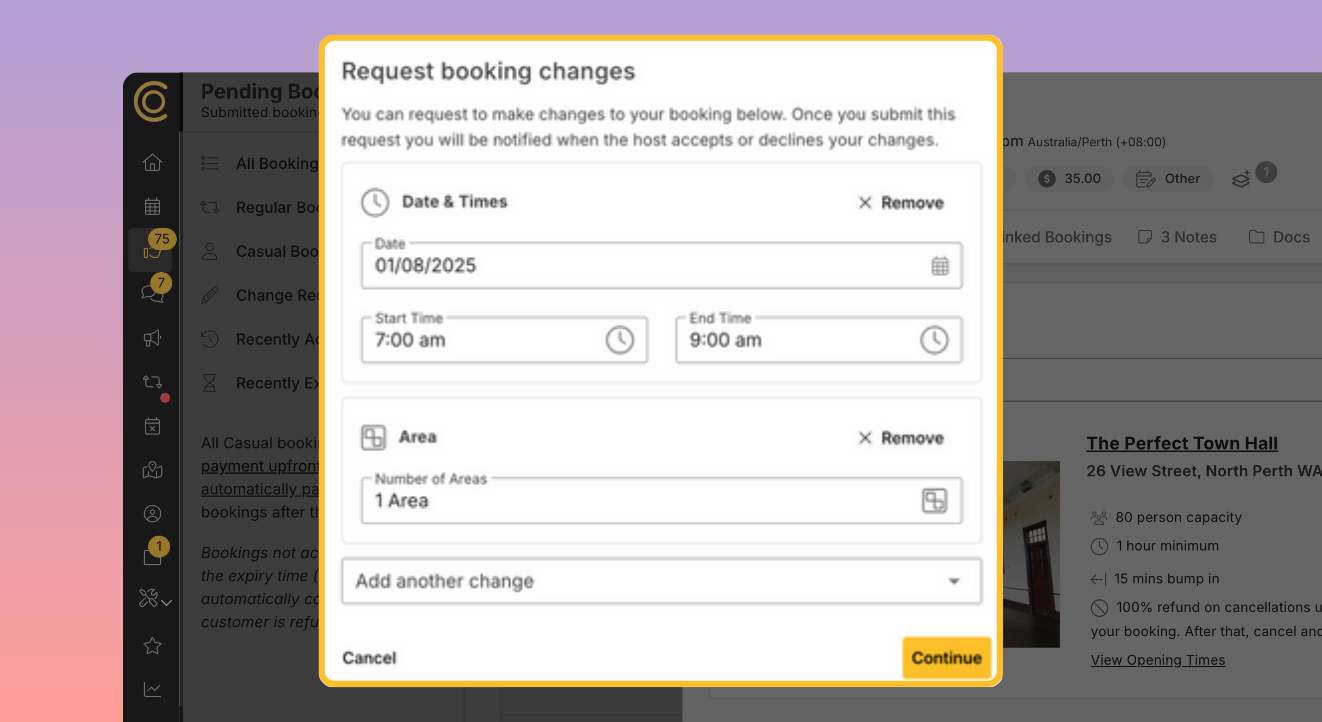
Message the space directly to request a change (e.g. extending a booking by 30 minutes). They'll confirm if it's possible, and you'll get an email confirming the change.
Make a new booking
Book at your regular space or any other SpacetoCo space through the marketplace. Casual/upfront bookings are charged on acceptance and won't appear on your monthly bill. If your centre has given you permission, you can also add new bookings to your monthly bill directly through your dashboard.
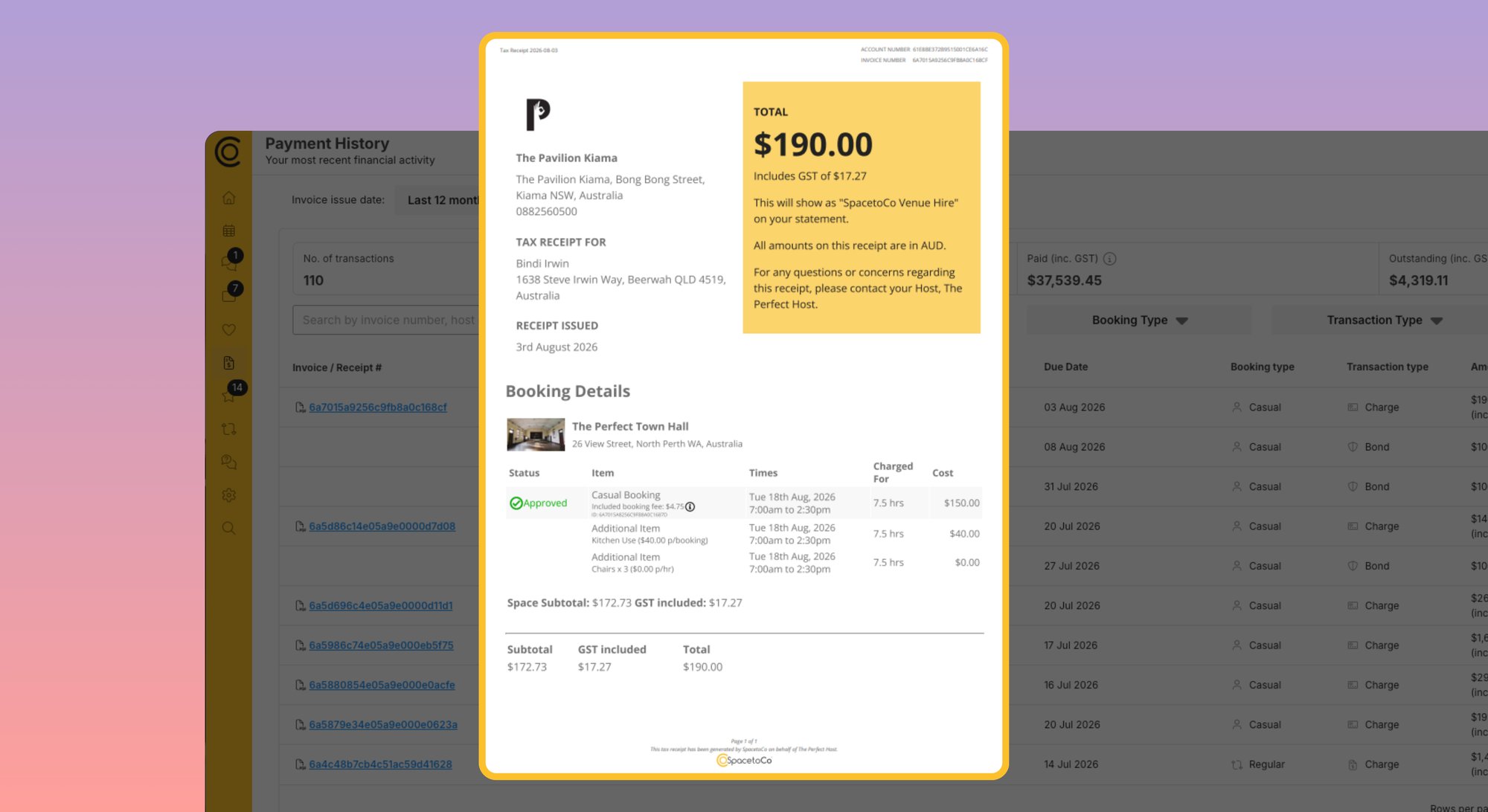
View your invoices
View and download any current or past invoice from your dashboard, any time.
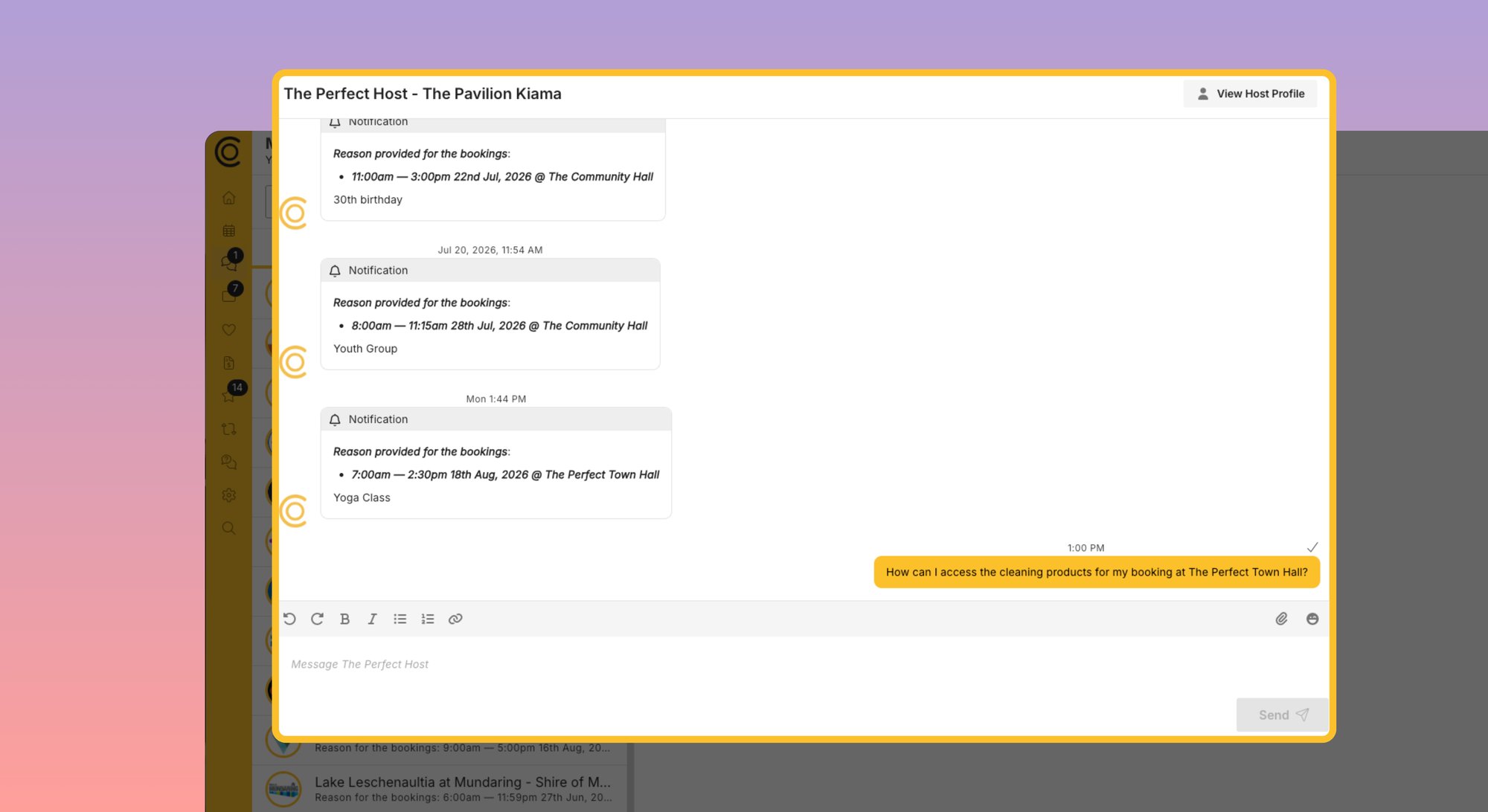
Contact your centre
Call or visit if you'd like, but we recommend the Messages feature in your dashboard — it keeps all conversations in one place, supports document/photo sharing, is visible to everyone on your account, and emails you when there's a reply.
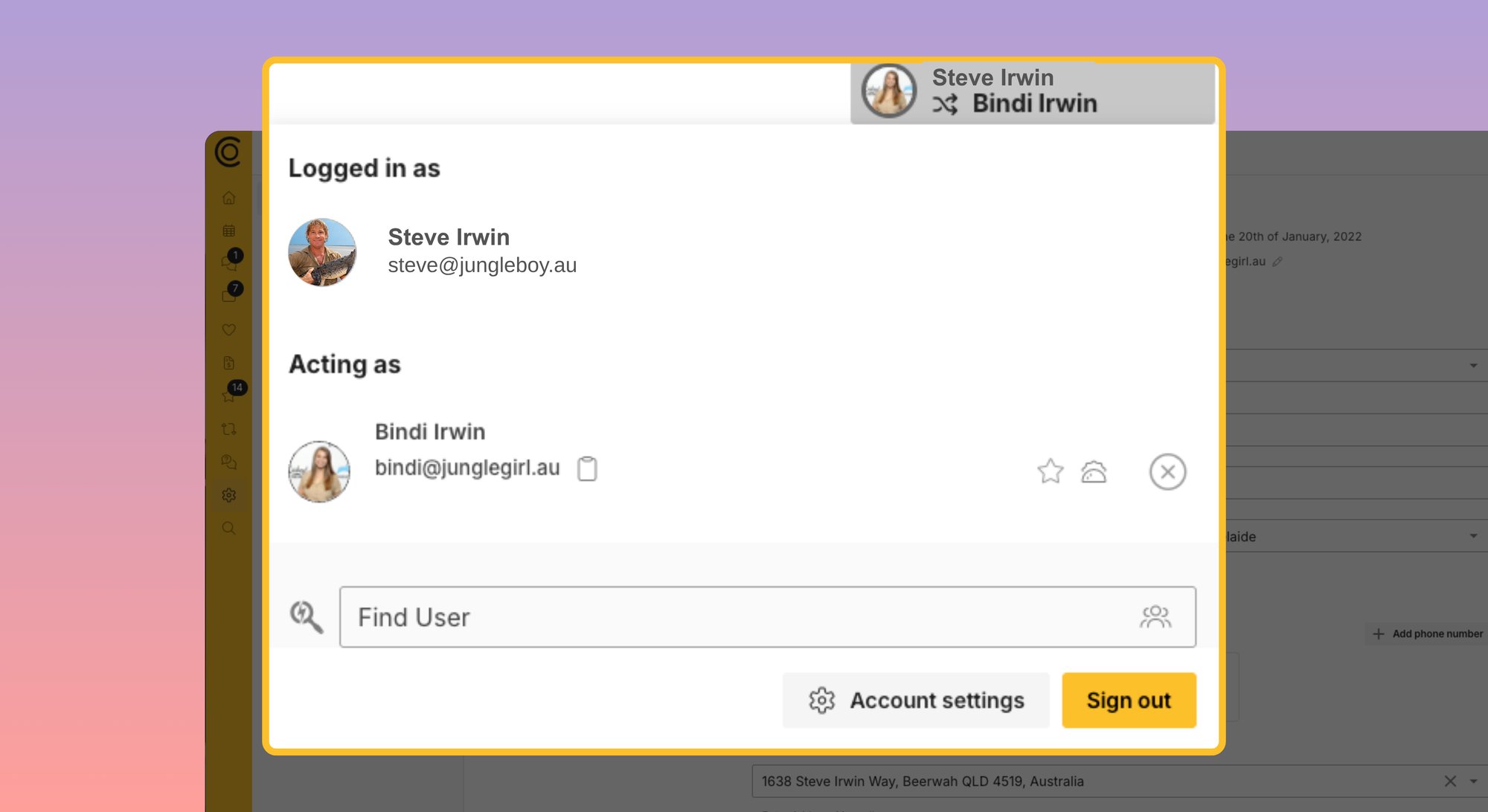
Who can access your account
Your organisation has one main account linked to the email address that receives notifications, reminders and invoices. You can add individual logins for other team or committee members to access and manage bookings too.
See how to here.
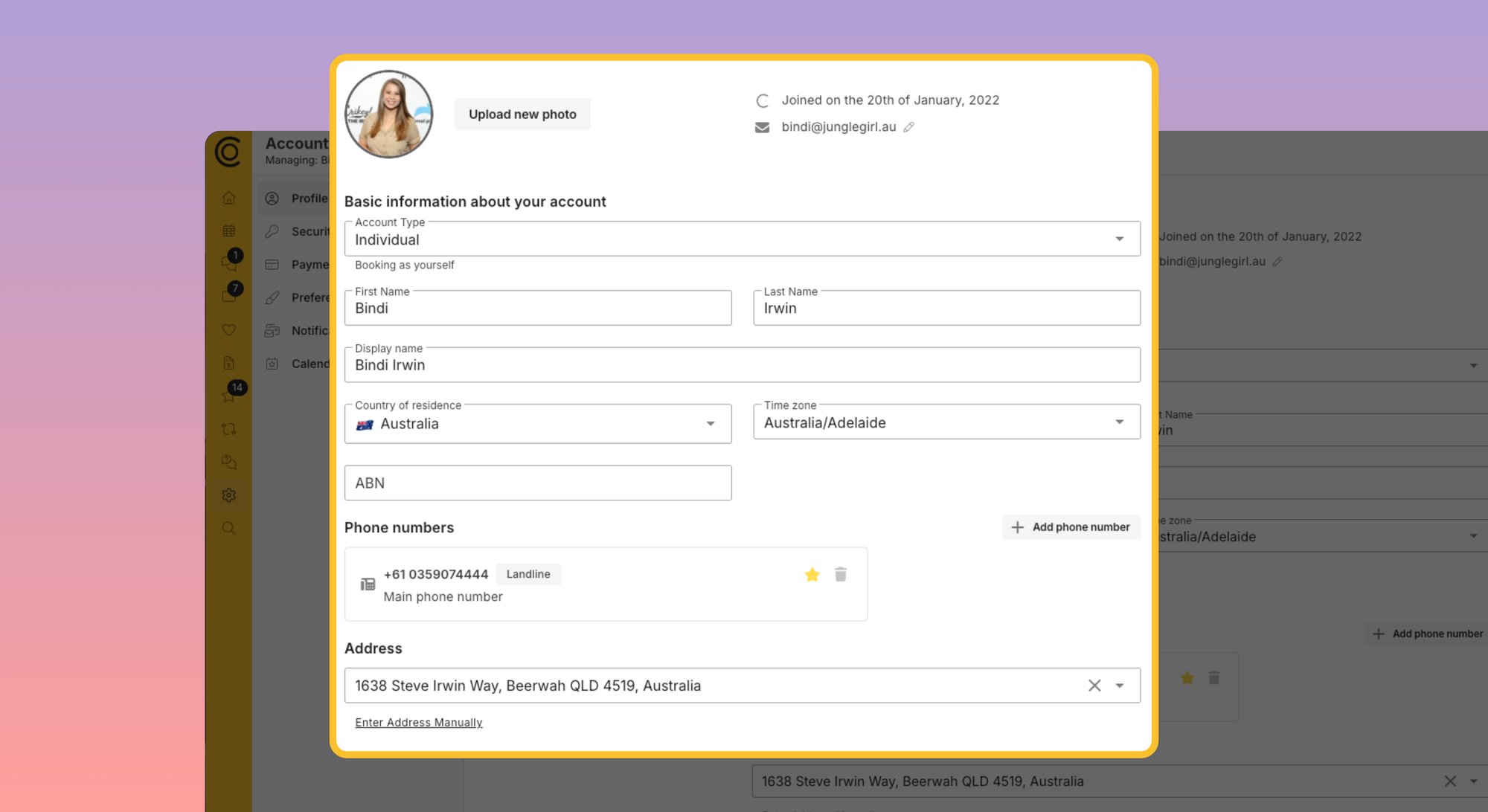
Update your details
Change your email, password, address or payment method at any time — handy if you lose a payment card.
You're in good company!
Check out all these organisations that use SpacetoCo to manage their regular hirers.
















































Getting help
The platform is designed to be as easy to use as Facebook, with no training required, and is already used by hundreds of community groups.
If you get stuck:
- Search the help site
- Use the chat icon (bottom right of the SpacetoCo website) to talk to a customer support
- Contact your centre through the dashboard messaging tool, or by phone
- Ask if your centre is running any drop-in help sessions
Frequently Asked Questions
How much does it cost to use SpacetoCo?
As a regular hirer, it's free for you. The cost of the platform is covered by your facility, offset by the extra bookings revenue the platform helps generate.
Will the price I pay for bookings change?
Room hire fees are set by your community space, not SpacetoCo. They'll let you know directly if pricing changes.
I'm not very confident with technology — will I be able to use this?
Yes - it’s as easy as using Facebook and doesn’t require any training. There are many groups just like yours using it across NZ, Australia & the UK. There is also plenty of help and support available (from real people) if you need it.
Is it secure? Where are my payment details being stored?
SpacetoCo provides the online booking system and use two secure payment systems to process the monthly payments. If you opt to pay by card, this will be handled by Stripe. Stripe is a fully PCI compliant payment gateway that is trusted and used by Xero, Amazon, Shopify, Zoom and many more.
If you opt to pay by direct debit, this will be handled by GoCardless, which is a secure platform that handles direct debits directly with all New Zealand & Australian banks. It is also used and trusted by Xero and compliant with all NZ and Australian banks.
More info on secure payments is here.
My organisation does not allow us to set up direct debits and we don’t have a payment card?
The goal of this process is to make it more efficient for you to book & pay for the space your organisation uses at the centre. After all, you set up your group to build your community - not to do admin. Most committees are ran by volunteers, so we want to give you a small nudge to think about how you can save yourselves time and automate some of the things that people don’t enjoy doing.
Although it can feel a bit nerve wracking to have an automated payment, rather than approving and actioning an invoice, you can still have risk control - but with less human error. If your normal process is to approve invoices before paying them at a committee, can you remember a time when you ever didn’t approve or pay a genuine & correct invoice?
Therefore we think it’s easier to manage the exception when they come up, rather than creating process that isn’t required. You can always query the invoice and have changes made before payment is taken anytime before the 10th of the month, and you can see what is owing online at anytime. This means you can still approve the payment, you just don’t have to make the payment.
Any bank account has the capability to accept direct debit - and the system will make it easy for you to authorise this.
Can I still pay by cheque, bank transfer or cash?
If you’re set up as a regular booker on SpacetoCo the only payment options are direct debit or credit/debit card charge.
We don’t accept the following forms of payment because:
Cheques- will be decommissioned next year in New Zealand.
Cash - it’s a liability and a risk for community spaces to handle cash on the premises. We want to encourage safe and secure payment methods, and save people the time and effort of going back & forth from the bank.
Paying the invoice through a bank transfer (i.e. you make the payment, not an automated direct debit) - The biggest time saver for both bookers and spaces is automating payment collection. If we can create a neat predictable payment collection flow, everyone wins. No-one has to remember to make the payment, no-one has to check the invoice has been paid, no-one has to chase the invoice and no-one has to manually reconcile accounts receivable and accounts payable.
.svg)
.svg)
.svg)