-2.png)
G-Cloud 15 Explained: What UK Councils Need to Know
Quick answer: G-Cloud 15 is the UK government's newest cloud procurement framework. It went live in August 2026, and it lets councils buy .
.svg)
We weren't kidding when we told you that our newest SpacetoCo update was a BIG one! There are plenty more features to unpack - so let's get into it!
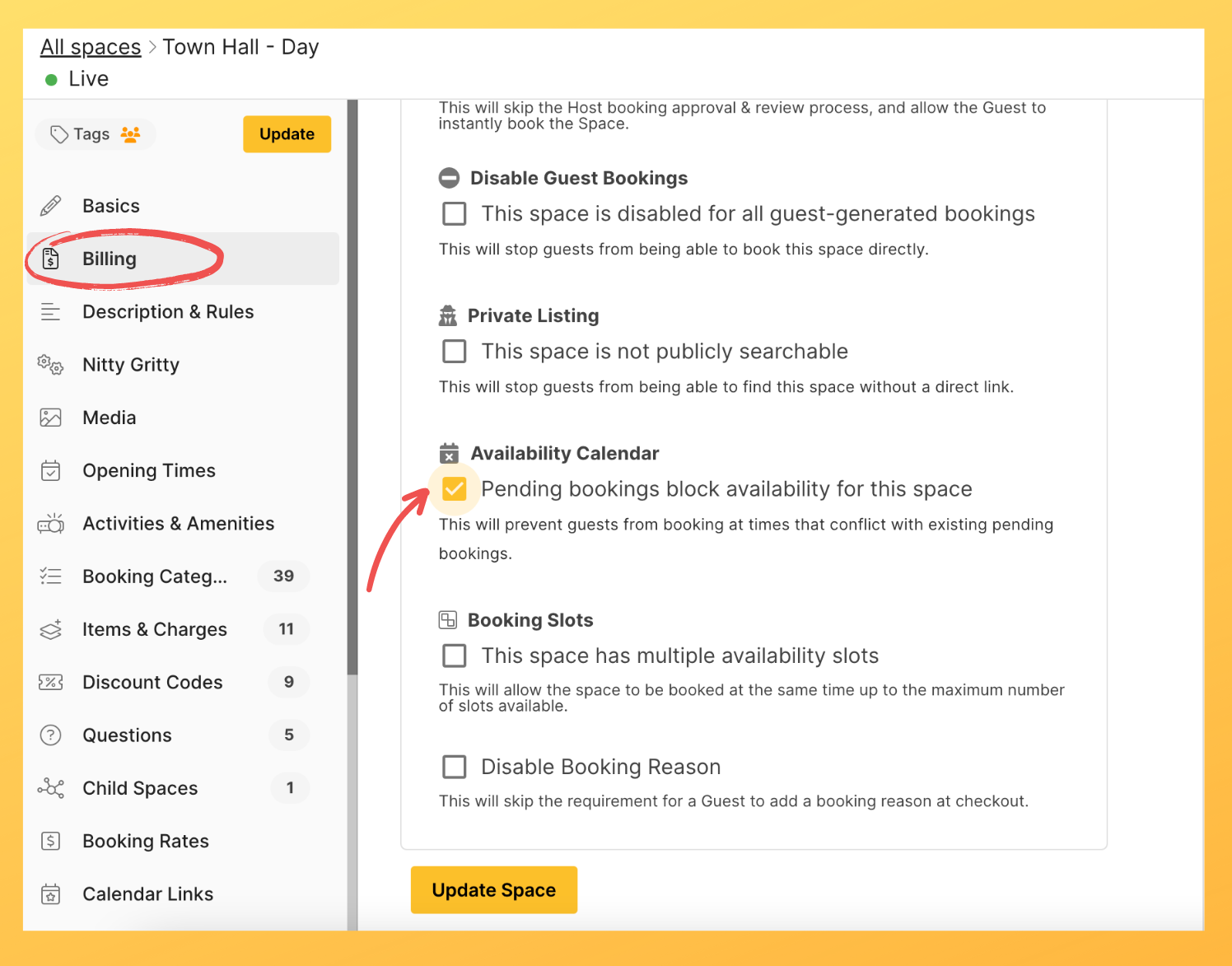
For our first feature, we're looking at the option for pending bookings to block out availability. This means that any pending booking won't allow any other person to book the space for the same date/time. By default, this isn't the case as we want hosts to be able to choose which bookings to accept or decline. But if you want this option, it's easy to set up!
Visit your space page and click 'Billing'. Scroll down until you see the 'Availability Calendar' section, then simply click the tick box beside 'Pending bookings block availability for this space'.
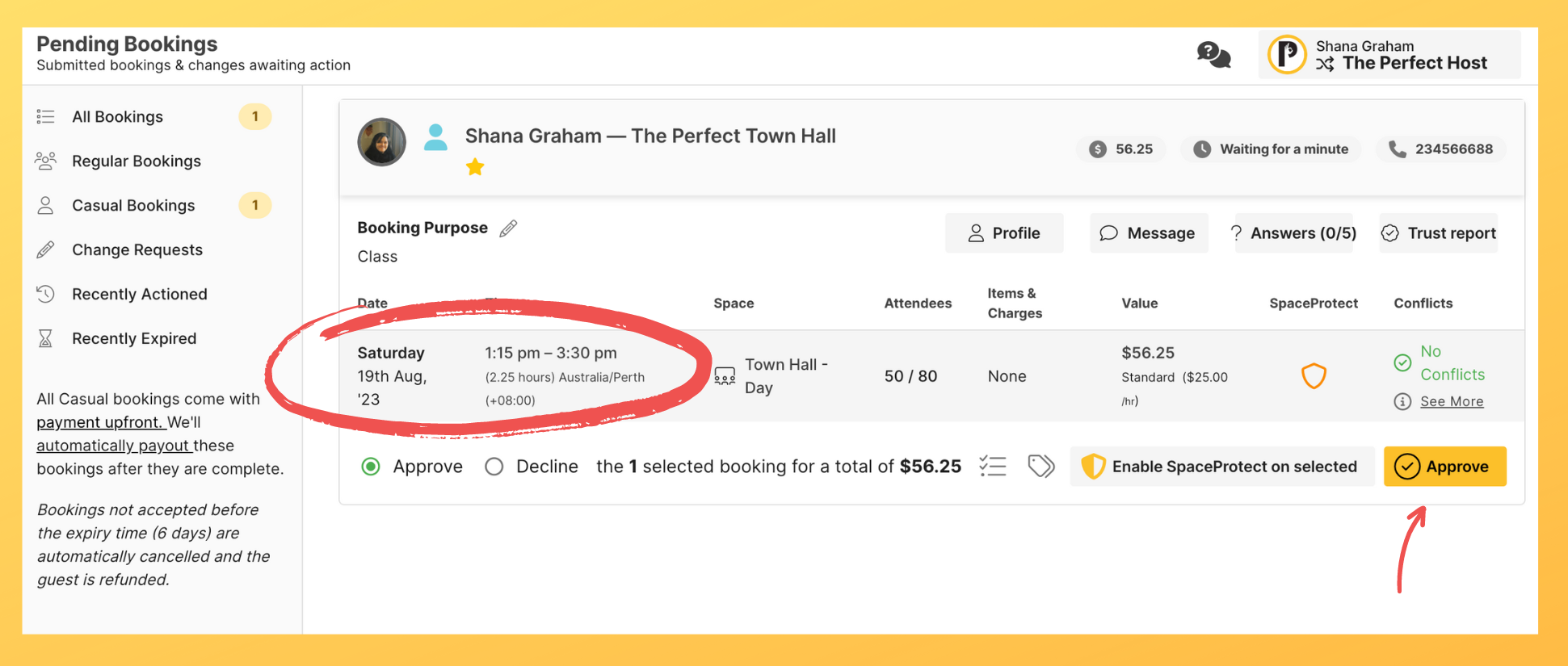
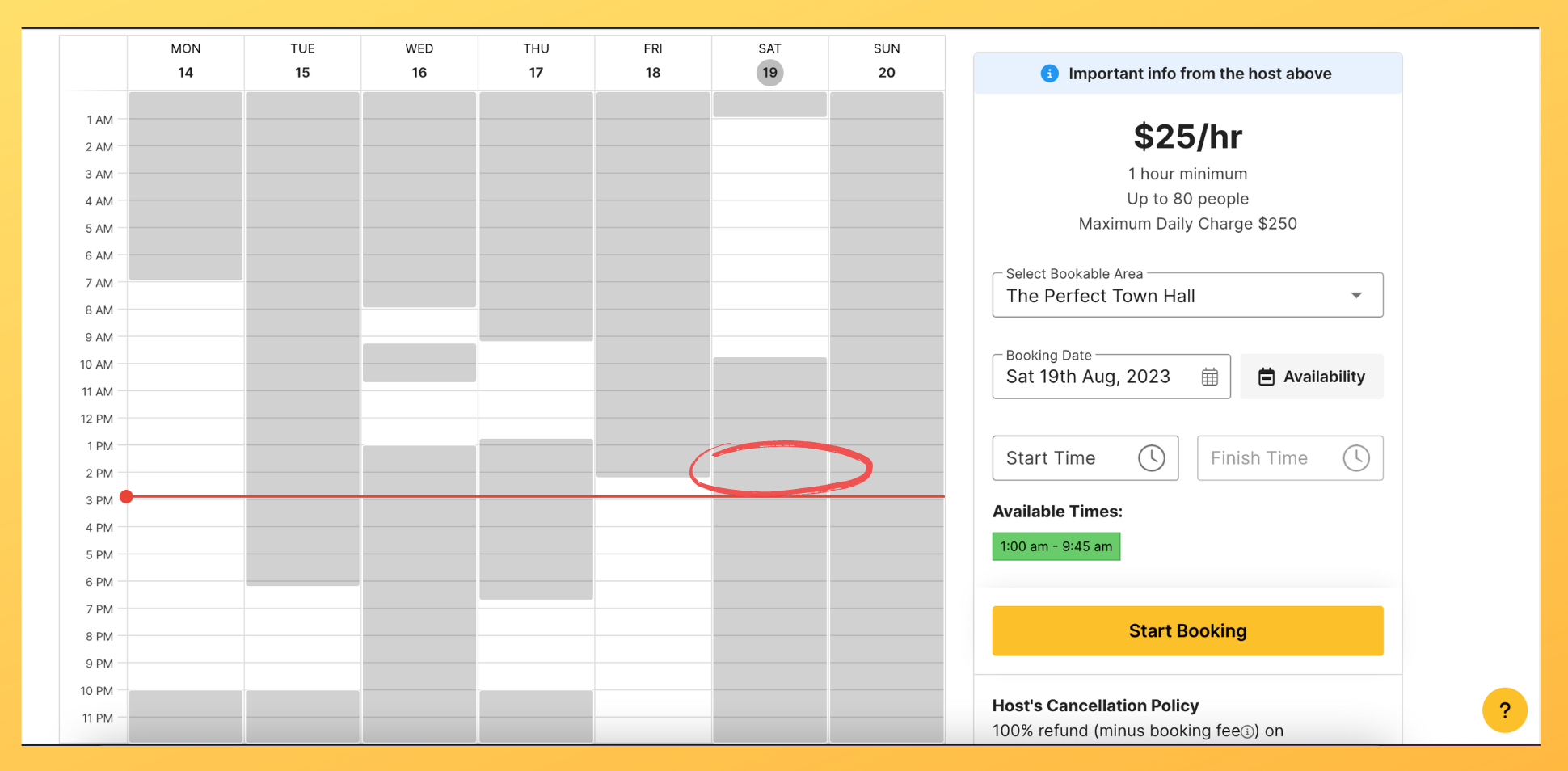
With this enabled, a guest's pending booking will disallow someone else from booking the same space for the same date/time:
Now onto the accommodation updates!
For partner hosts who have accommodation or day/night hire spaces, we have a few awesome features for you. First off, we now have accommodation specific booking categories that you can choose, from 'apartment' to 'tent' and even 'kennel' for pet accommodation!
.png?width=1964&height=947&name=Product%20Update%20Images%20-%20BLOG%20(2).png)
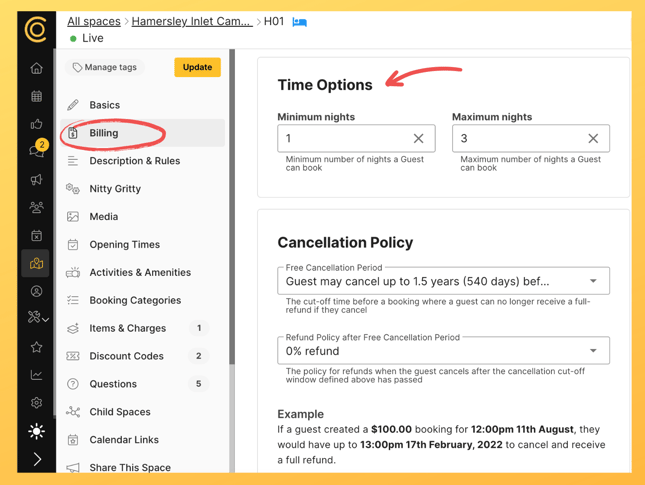
You can also specify a number of minimum and/or maximum night for bookings (eg. useful if you require people to book your campgrounds for a minimum of two nights). Simply visit the 'Billing' section of your space and scroll down to 'Time Options', then add your minimum/maximum night requirements:
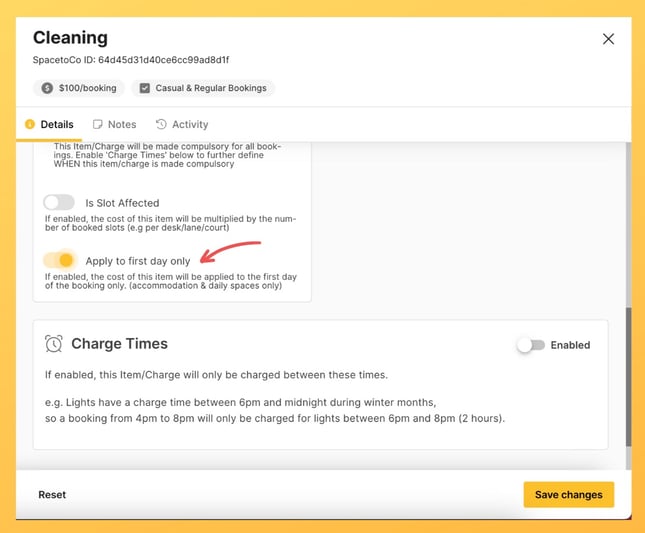
Finally, you can enable any item/charge to be applied on the first night of a booking only (instead of this being applied per night). For example, if you only wanted to charge a one-off cleaning fee regardless of how many nights a guest books your space, this feature is for you. Just create a new item/charge or edit an existing one, scroll down and enable the button that says 'Apply to first day only'.
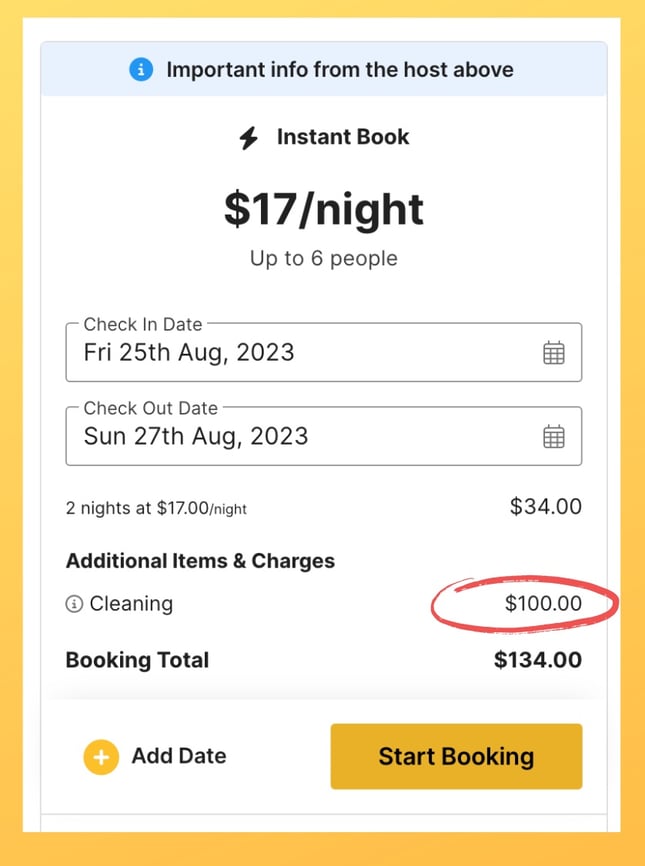
Anyone who books this space will then see the item/charge applied only once. In the below example, the two-night booking has incurred the cleaning fee once ($100, instead of $200 for two nights):
There you have it folks! Enjoy all of this amazing features and don't hesitate to get in touch if you need a hand 😀
.svg)
Book a personalised demo with a local team member




© 2026 SpacetoCo PTY LTD | All Rights Reserved | hello@spacetoco.com | AU: (08) 6102 1191 | UK: 0330 818 2437 | NZ: (09) 887 4698
©️ 2025 SpacetoCo PTY LTD | All Rights Reserved |
AU: (08) 6102 1191 | NZ: (09) 887 4698