
G-Cloud 15 Explained: What UK Councils Need to Know
Quick answer: G-Cloud 15 is the UK government's newest cloud procurement framework. It went live in August 2026, and it lets councils buy .
.svg)
If you’re looking to increase bookings at your community centre or space, a great way to do this is to add a Book Now button to your Facebook page. This makes it really easy for your existing followers or new people to understand that you have space to hire, and then make it easy and seamless for them to book with you.
There are lots of benefits to adding this button:
If you’re not sure what this looks like, then take a look at this screen shot below. When you add a Book Now button to your Facebook page, it appears really prominently on your page just under the main banner.
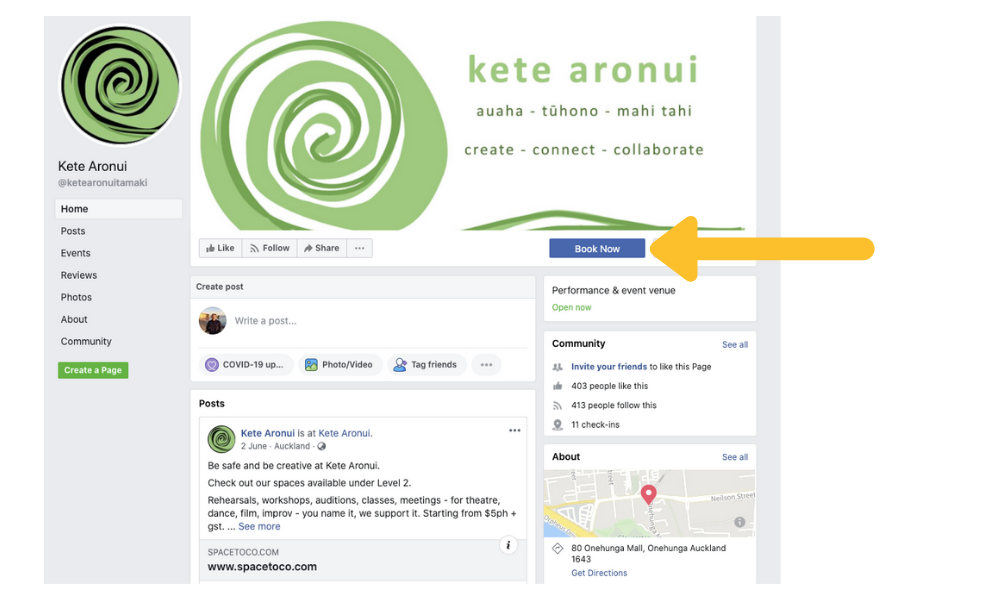
It’s really easy to add this button to your page.
The button can do three different things:
We are a little biased, but we recommend option 3 because:
If you're thinking about whether you should take bookings online - check out our guide to the benefits of online bookings for community spaces.
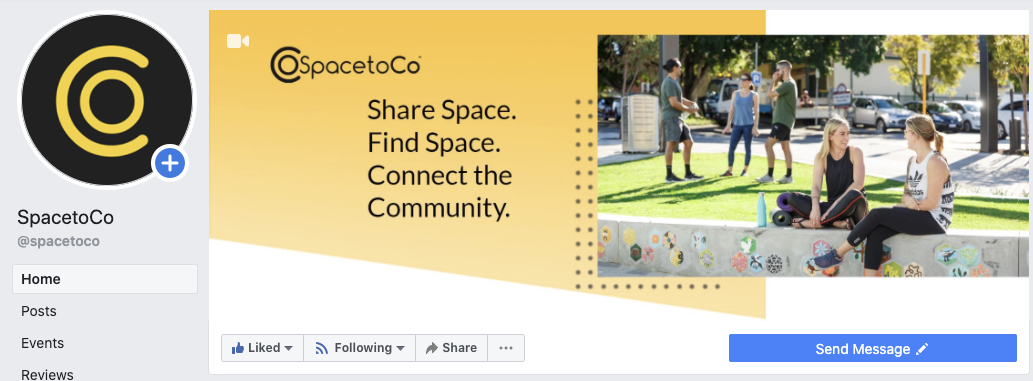
2. Select the ‘Make a booking with you’ drop down and select the ‘Book now’ radio button. Click Next.
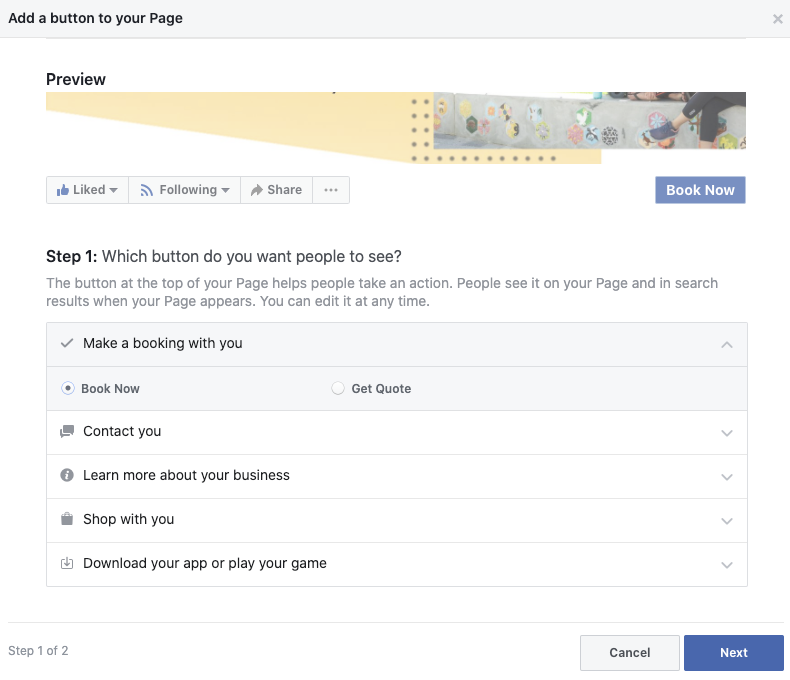
3. Select ‘Link to your Website.’ You can then enter:
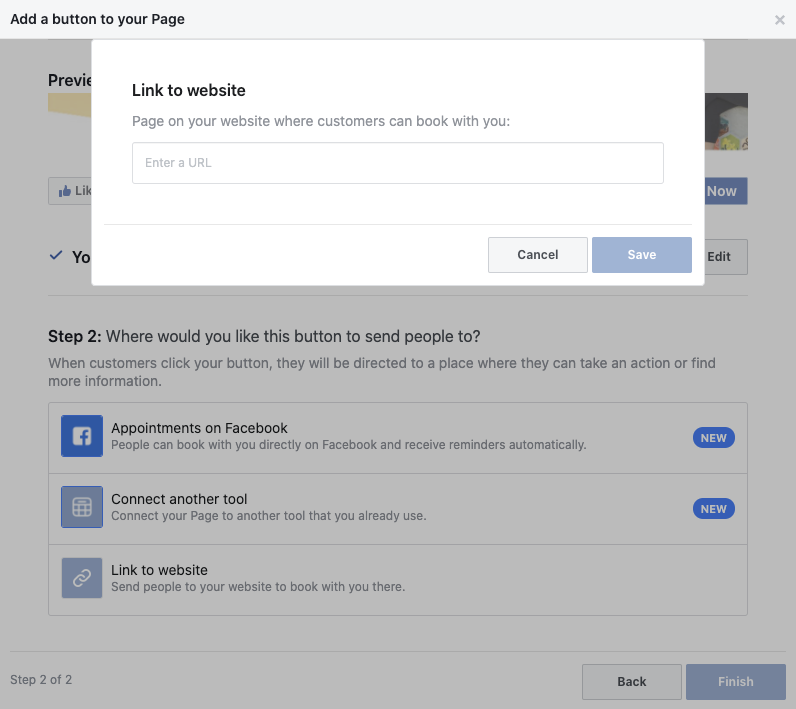
4. It will then show you a preview and ask you to confirm. And that’s it - your Book Now button will appear on your Facebook page, making it much easier for people to find and book with you.
 Elle Bell is our New Zealand Managing Director. She helps Community Centres & Spaces increase bookings, reduce admin and engage & grow their communities.
.svg)
Book a personalised demo with a local team member




© 2026 SpacetoCo PTY LTD | All Rights Reserved | hello@spacetoco.com | AU: (08) 6102 1191 | UK: 0330 818 2437 | NZ: (09) 887 4698
©️ 2025 SpacetoCo PTY LTD | All Rights Reserved |
AU: (08) 6102 1191 | NZ: (09) 887 4698